

The canonical lead pipeline runs seven stages: Captured, Contacted/Engaged, Marketing Qualified Lead (MQL), Sales Accepted Lead (SAL), Sales Qualified Lead (SQL), Opportunity, and Customer/Closed. If your pipeline has fewer than that, you're probably lumping two buyer decisions into one CRM stage, which is exactly why your forecast keeps missing.
Here's the fast version, scannable in the next ten seconds:
- Captured — a lead enters your system through a form, call, or list
- Contacted/Engaged — a rep or automated sequence makes first contact and gets a response
- MQL — the lead matches your ideal customer profile and shows real intent
- SAL — sales reviews and accepts the lead as worth active pursuit
- SQL — a rep confirms budget, authority, need, and timeline through direct conversation
- Opportunity — a proposal or demo is underway with a defined next step
- Customer/Closed — the deal is signed, or lost and logged for analysis
Your next move isn't downloading a template. It's opening your CRM this week and writing one entry rule and one exit rule for every stage you use. Vague stages create fuzzy forecasts, and fuzzy forecasts are the reason sales and finance never trust the same number.
Key Takeaways
A lead pipeline works only when every stage has a written, checkable entry and exit rule instead of a rep's personal judgment call.
| Point | Details |
|---|---|
| Use seven defined stages | Map Captured through Customer/Closed to your CRM with one owner per stage. |
| Write the advancement bar | Every stage needs a one-sentence, checkable rule, not "rep discretion." |
| Run a 15-minute weekly review | Flag any lead untouched for 14+ days and assign an owner immediately. |
| Track stage-level metrics | Monitor conversion rate, velocity, win rate, and stage aging weekly, not quarterly. |
| Automate intake, not judgment | Automate capture and early qualification; keep humans in SQL and Opportunity, and bring in Aerelion Systems when manual re-entry or misrouted leads cross a real threshold. |
Table of Contents
- What Is a Lead Pipeline Stage, Exactly?
- The 7 Lead Pipeline Stages, Explained One By One
- How Do You Write Stage Criteria That Actually Hold Up?
- Which Metrics Actually Tell You the Pipeline Is Healthy?
- Why Do Leads Stall, and How Do You Unstick Them?
- What Do Real B2B Pipeline Templates Look Like?
- When Should You Automate Versus Bring In a Systems Studio?
- What Breaks Most Often in Real Pipelines
- How Aerelion Systems Builds Working Lead Pipelines
- Frequently Asked Questions
- Sources
What Is a Lead Pipeline Stage, Exactly?
A pipeline stage is a tracked buyer state with written entry and exit criteria, not a folder for whatever a rep happens to be doing that day. If a lead can sit in "Qualified" for three weeks with nobody agreeing on what qualified means, it isn't a stage. It's a guess wearing a label.
The distinction matters more than it sounds. The Lead Lifecycle framework argues that stages should represent a meaningful shift in buyer commitment, not an internal task checklist. A stage called "Sent Proposal" tells you what your team did. A stage called "Opportunity" tells you what the buyer decided. Only one of those predicts revenue.
This is also where teams conflate two different things: the pipeline and the funnel. A funnel measures volume moving through marketing touchpoints, top to bottom, usually in aggregate. A pipeline tracks individual, named leads through discrete states with an owner and a next action attached to each one. One's a shape. The other's a workflow you can run a Tuesday morning review on.
| Question | Funnel answers it | Pipeline answers it |
|---|---|---|
| How many leads entered this month? | Yes | Partially (via stage 1 count) |
| Who owns this specific lead right now? | No | Yes |
| What's the next action for this lead? | No | Yes |
| What's our overall conversion rate by channel? | Yes | Partially |
| How long has this deal been stalled? | No | Yes |
Some teams also separate the "lead pipeline" (prospecting through qualification) from the "sales pipeline" (active opportunities through close), a distinction SparrowCRM's guide makes explicit. Blurring the two is a common reason companies lose visibility into where deals actually die.
The 7 Lead Pipeline Stages, Explained One By One
Each stage below needs an owner, a primary activity, and evidence that justifies moving a lead forward. Skip any one of those three and the stage becomes decorative.
1. Captured. A lead enters through a form fill, inbound call, trade show scan, or purchased list. Marketing owns this stage. The only evidence needed is contact information plus a source tag, so you can later trace which channel actually produces revenue instead of just volume.
Example entry rule: Any contact record with a valid email and a known source. Exit rule: First contact attempt logged within 24 hours.
2. Contacted/Engaged. A rep or automated sequence reaches out, and the lead responds in some verifiable way, opening an email, answering a call, replying to a text. Marketing or an SDR typically owns this. The activity here is outreach; the evidence is a two-way interaction, not just a sent message.
Example entry rule: Lead replies, books a call, or opens three sequence emails. Exit rule: A qualifying conversation is scheduled or explicitly declined.
3. Marketing Qualified Lead (MQL). The lead fits your ideal customer profile on paper, industry, company size, role, and has shown intent signals like downloading a pricing sheet or visiting your services page twice. Marketing owns the classification, usually via lead scoring.
Example entry rule: Lead scores above a defined threshold (e.g., ICP match plus two high-intent actions). Exit rule: Sales reviews and either accepts or rejects within 48 hours.
4. Sales Accepted Lead (SAL). A rep looks at the MQL and agrees its worth pursuing. This is a short, easily skipped stage, but skipping it is how marketing and sales end up arguing about lead quality every quarter.
Example entry rule: Rep confirms the MQL meets minimum revenue or headcount thresholds. Exit rule: First qualifying call is completed.
5. Sales Qualified Lead (SQL). A rep has had a real conversation and confirmed budget, authority, need, and timeline, some version of BANT or MEDDIC. This is the stage where "interested" turns into "buying." Sales owns it fully.
Example entry rule: Rep confirms a named decision-maker, a stated budget range, and a target timeline. Exit rule: A proposal or demo is scheduled with that decision-maker present.
6. Opportunity. A proposal, quote, or demo is actively in motion with a defined next step and a realistic close date. This is what most CRMs mean by "pipeline" in the narrow sense, and it's the stage finance actually forecasts against.
Example entry rule: Signed NDA, active proposal, or demo completed with stated next steps. Exit rule: Verbal or written commitment to buy, or explicit loss.
7. Customer/Closed. The deal is signed and handed to onboarding, or it's marked closed lost with a reason code. Both outcomes matter equally. A "closed lost" without a reason is a wasted data point you'll wish you had next quarter.
Example entry rule: Signed contract or explicit written rejection. Exit rule: None. It's terminal.
| Stage | Owner | Core Activity | Example Entry Criteria |
|---|---|---|---|
| Captured | Marketing | Lead intake | Valid contact info + source tag |
| Contacted/Engaged | Marketing/SDR | Outreach | Two-way response logged |
| MQL | Marketing | Scoring | ICP match + intent threshold |
| SAL | Sales | Review | Rep confirms fit, accepts lead |
| SQL | Sales | Discovery call | Budget, authority, timeline confirmed |
| Opportunity | Sales | Proposal/demo | Active proposal with next step |
| Customer/Closed | Sales/Success | Contract | Signed agreement or loss reason |
This maps closely to the seven-stage sales pipeline most B2B teams already use in some form, prospecting, qualification, meeting or demo, proposal, negotiation, closing, and post-sale. The labels differ slightly by industry, but the logic is identical: each stage marks a jump in commitment, not a task off a to-do list.
How Do You Write Stage Criteria That Actually Hold Up?
The single biggest failure mode in pipeline management isn't missing stages. It's stages with no written bar for advancement, so every rep applies a different personal standard. Leadium's research on qualified pipelines makes the case bluntly: without a written advancement rule per stage, "qualified" becomes whatever the most optimistic rep on your team believes that week.
Good criteria share four traits:
- They reference objective, checkable facts (a signed document, a confirmed dollar figure) rather than a rep's gut feeling.
- They name a specific stakeholder role, not just "the buyer," since a champion and an economic buyer behave very differently.
- They require at least one artifact, an email confirmation, a signed NDA, a calendar invite with the right people on it.
- They fit in one sentence. If your criteria need a paragraph, they're not criteria, they're a discussion.
Here are three you can adapt directly:
Early stage (MQL): "Lead has an active email domain matching a company between 10 and 200 employees, and has visited the pricing page or downloaded a case study within the last 14 days."
Mid stage (SQL): "A named decision-maker has confirmed, in writing or on a recorded call, a budget range and a target implementation date within two quarters."
Late stage (Opportunity to Closed): "A proposal has been sent to the confirmed decision-maker, and either a signed contract or an explicit written decline has been received."
Pro Tip: Ban the phrase "at rep discretion" from every stage definition in your CRM. If a criterion can't be checked by someone who never spoke to the lead, rewrite it until it can. Then set your CRM to block manual stage advancement unless the required field or activity is logged, so the rule enforces itself instead of relying on memory.
Which Metrics Actually Tell You the Pipeline Is Healthy?
Seven numbers matter more than the rest, and most teams only track two of them.
- Conversion rate per stage — the percentage of leads that move from one stage to the next; calculated as (leads advancing ÷ leads entering that stage) × 100.
- Lead-to-SQL conversion — how many raw leads eventually become sales-qualified, your clearest signal of lead source quality.
- Pipeline velocity — how fast deals move from Captured to Closed, typically measured in average days per stage.
- Average deal size — the mean contract value of closed-won deals, useful for spotting whether you're chasing the wrong segment.
- Win rate — closed-won deals divided by total closed deals (won plus lost), a direct measure of qualification accuracy.
- Lead response time — minutes or hours between capture and first contact attempt, one of the strongest predictors of conversion.
- Stage aging — how long an individual lead has sat in its current stage without movement, the fastest way to spot a stall.
SparrowCRM's operational guide treats these seven as the core diagnostic set, and for good reason: track them weekly and you'll spot leaks before they become quarterly excuses.
One caution worth flagging before you set benchmarks in stone: research on quota structures found that cadence and quota periods aren't one-size-fits-all across teams. A velocity benchmark that works for a 30-day sales cycle will mislead a team selling a 6-month enterprise deal. Treat any published benchmark as directional, then build your own baseline from three to six months of your own stage data before comparing yourself to an industry number.
Why Do Leads Stall, and How Do You Unstick Them?
Most pipeline leaks cluster around three specific transitions, and each has a predictable root cause.
Problem: leads stall between MQL and SAL. Cause: sales doesn't trust marketing's scoring model, so reps quietly ignore MQLs instead of formally rejecting them. Fix: require a documented rejection reason within 48 hours, and review rejection patterns monthly with both teams in the room.

Problem: leads stall between SQL and Opportunity. Cause: the rep never got a decision-maker on the call, so there's no one authorized to move forward. Fix: make "decision-maker confirmed on invite" a hard entry requirement for Opportunity, not a nice-to-have.
Problem: deals stall inside Opportunity for months. Cause: no defined next step after the proposal was sent, so the deal drifts. Fix: every Opportunity needs a dated next action logged at all times; if there isn't one, the deal gets flagged in the weekly review.
Run this 15-minute root-cause check every week:
- Pull every lead that hasn't moved stages in 14+ days.
- Check whether each one has a logged next action with a date.
- Flag any lead missing required stage evidence (no confirmed budget, no decision-maker, no signed NDA).
- Assign an owner to each flagged lead before the meeting ends.
Short-term fixes (1 to 2 weeks): enforce mandatory fields in the CRM so a lead can't advance without evidence logged; add a stage-aging alert that flags anything untouched for 10+ days; require rejection reasons on every dropped MQL.
Medium-term fixes (1 quarter): rebuild lead scoring using actual closed-won data instead of guessed weights; automate lead routing so response time drops below one hour; audit every stage definition with both sales and marketing present, and rewrite any criterion that still says "at rep discretion."
Weak stage definitions and unchecked rep judgment are consistently cited as the reason pipelines leak volume and produce unreliable forecasts. Fixing the definitions is cheaper than hiring more reps to compensate for a leaky one.
What Do Real B2B Pipeline Templates Look Like?
Three motions call for three different stage emphases. None of these need custom software to start, just discipline in how your CRM stages are labeled and enforced.
Outbound-driven SMB template: Captured (from a purchased or scraped list) → Contacted (cold call or cold email sequence) → MQL (positive reply) → SQL (discovery call completed) → Opportunity (proposal sent) → Closed. Automation trigger: auto-advance from Contacted to MQL when a reply is detected by your email tool, then alert the assigned rep.

Inbound-focused SMB template: Captured (form fill or content download) → Engaged (email opened or second visit) → MQL (lead score threshold hit) → SAL (sales reviews and accepts) → SQL (discovery call) → Opportunity → Closed. Automation trigger: auto-notify sales the moment a lead crosses the scoring threshold, since inbound leads carry higher intent but move slower and often lose momentum if follow-up lags.
Hybrid/account-based template: Captured (target account identified) → Engaged (multi-threaded outreach across roles) → MQL (two or more stakeholders engaged) → SQL (economic buyer confirmed) → Opportunity → Closed. Automation trigger: alert the account owner whenever a new contact from a targeted account visits the pricing page.
| Template | Best Fit | Trigger Point |
|---|---|---|
| Outbound-driven | Small teams cold-prospecting a niche list | Reply detected in email sequence |
| Inbound-focused | Businesses ranking for local or category search terms | Lead score crosses threshold |
| Hybrid/account-based | Teams selling to larger accounts with multiple buyers | Second stakeholder engages |
Choosing the wrong template for your motion is a quiet killer. A contractor whose website leaks leads because intake routes to a generic inbox rather than a defined Captured stage will never get clean data into any of these templates, no matter how well-designed the later stages are.
When Should You Automate Versus Bring In a Systems Studio?
Not every pipeline problem needs custom software. Some just need a written rule and a CRM field you're already paying for. The line between "fix it yourself this afternoon" and "bring in outside help" comes down to four signals.
- Volume threshold: If you're processing under 20 new leads a week, a documented process and a shared spreadsheet often outperform a built automation, at least for now.
- Error rate: If more than one in ten leads gets misrouted, duplicated, or dropped between capture and first contact, that's a system failure, not a training issue.
- Manual tasks per lead: Count how many times a human retypes the same information across tools, form to CRM, CRM to invoicing, invoicing to calendar. Three or more manual re-entries per lead is the threshold where automation pays for itself within a quarter.
- Tool fragmentation: If your intake, CRM, and calendar don't talk to each other, every dropped lead is invisible until a client calls asking why nobody followed up.
The buyer-behavior data backs a real shift here. Gartner found that 61% of B2B buyers prefer a rep-free buying experience for at least parts of their purchase journey, which supports automating early stages like intake, scheduling, and initial qualification. It does not support removing humans from SQL and Opportunity, where complex, high-value decisions still need a real conversation.
Pro Tip: Before contacting a systems studio for a diagnostic, pull three things together: a CRM export showing where leads currently stall, a rough count of manual tasks per lead across your team, and five to ten example leads that fell through the cracks in the last quarter. That single hour of prep can cut a discovery engagement's scoping time in half.
Aerelion's approach starts with manual diagnosis before automation, because building custom software on top of an undefined pipeline just automates the confusion faster.
What Breaks Most Often in Real Pipelines
The technical fixes above are the easy part. The hard part is that most broken pipelines aren't broken because of missing software. They're broken because nobody ever wrote the rules down, and everyone quietly assumes someone else did.
I've seen the same pattern repeat across home service companies and small professional practices: a form submission lands in an inbox nobody checks on weekends, a rep marks a lead "qualified" because it feels close rather than because a budget was confirmed, and by the time anyone audits the CRM, half the "Opportunity" stage is actually dead deals nobody bothered to close out. None of that requires a technology failure. It requires one missing sentence per stage.
If you do one thing after reading this, spend the next 30 minutes writing a single advancement rule for your weakest stage, the one where reps most often argue about whether a lead should move. Put it in the CRM as a required field, not a comment. That one change usually surfaces more leakage than a quarter of software shopping ever will.
Aerelion Systems built its diagnostic process around exactly this insight: the fix is rarely a new tool. It's almost always a missing rule that a new tool then gets blamed for not enforcing.
How Aerelion Systems Builds Working Lead Pipelines
Aerelion is the alternative to buying another CRM add-on hoping it fixes a process problem. Small and midsize B2B teams, especially home service companies and professional practices in Northern Virginia, come to Aerelion after their intake, follow-up, or CRM setup has quietly cost them leads for months without anyone noticing exactly where.
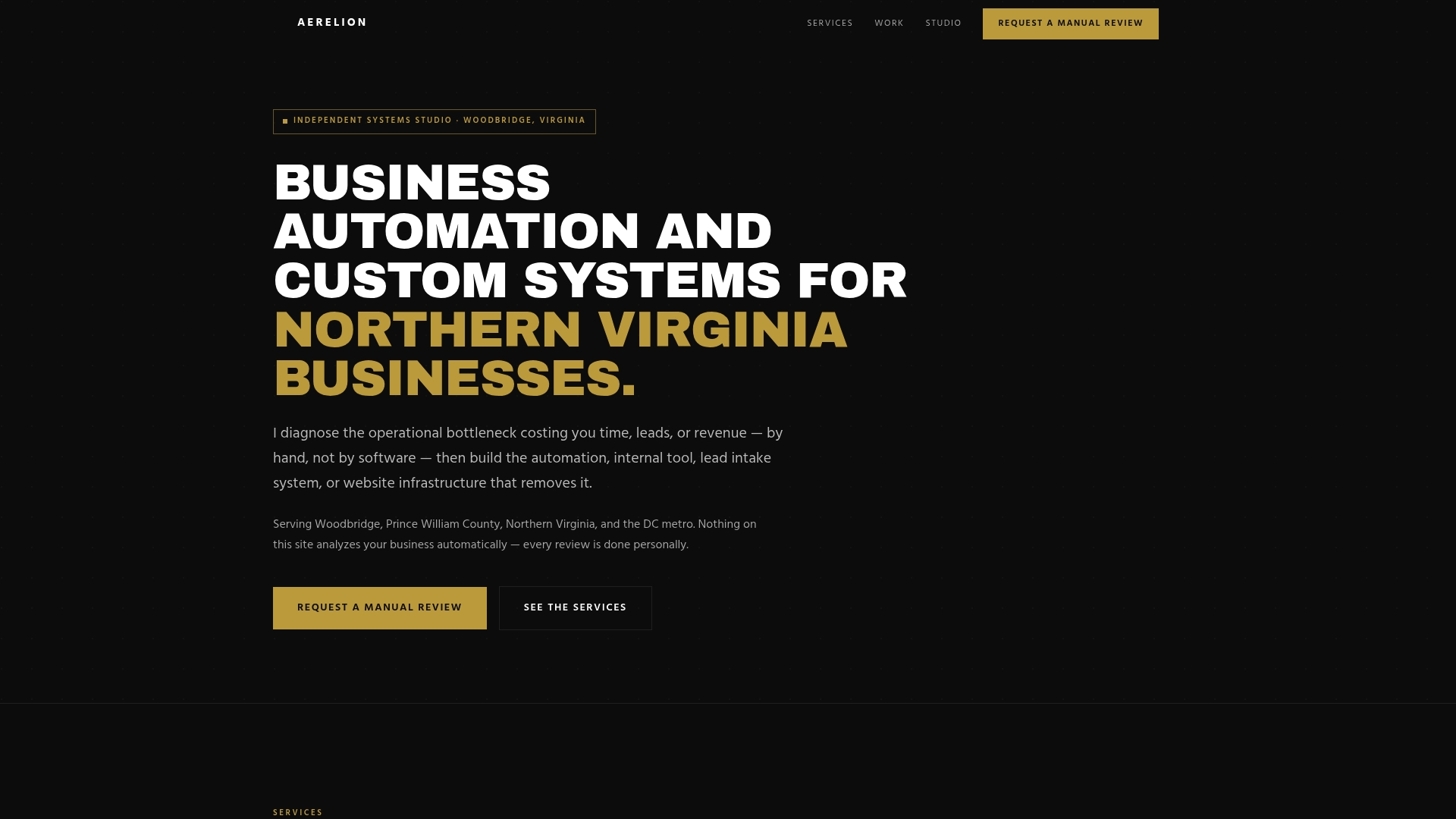
The engagement starts with a hands-on diagnostic, not a template. Aerelion reviews how leads actually move through your current tools, finds the manual re-entry points and the intake gaps, and builds tailored automation, dashboards, or CRM workflows that match how your team actually sells, not a generic seven-stage template pasted into your software. Past work includes intake systems for HVAC companies and roofing contractors where the fix wasn't more leads. It was making sure the leads already coming in stopped disappearing.
Before reaching out, pull a CRM export of your current stages, list the tools your leads pass through from capture to close, and gather a handful of leads that fell through recently. That prep lets Aerelion scope the right fix fast. Ready to see where your pipeline is leaking? Request a discovery session and get a straight answer on what's actually broken.
Frequently Asked Questions
How many stages should a lead pipeline have? Seven is the most common structure, but the right number depends on your sales cycle. A short-cycle SMB might collapse SAL and SQL into one stage; a complex account-based motion might split Opportunity into proposal and negotiation. What matters more than the count is that each stage has a written rule.
What's the difference between a lead pipeline and a sales funnel? A funnel measures aggregate volume moving through marketing touchpoints. A pipeline tracks individual, named leads through stages with an owner and next action attached to each one. You report on a funnel; you manage a pipeline.
How do I know if a stage definition is too vague? If two reps could look at the same lead and disagree about whether it belongs in that stage, the definition is too vague. Rewrite it until it references a specific, checkable fact, like a signed document or a confirmed budget figure, rather than a feeling.
What's a good lead-to-SQL conversion rate? It varies too much by industry and deal size to quote a single number responsibly. Build your own three to six month baseline from your CRM data first, then track whether it's improving after you tighten stage criteria and cut response time.
Should I automate lead qualification entirely? Not for complex or high-value deals. Automating early-stage capture, scoring, and initial outreach makes sense, especially given how many B2B buyers now prefer self-service early in their journey. But confirming budget, authority, and timeline at SQL still benefits from a real conversation with a decision-maker.
Sources
- The Lead Lifecycle: From Anonymous Visitor to Sales Opportunity
- Building a Qualified Lead Pipeline in 2026 | Leadium
- Sales pipeline stages visual guide | HubSpot Blog
- Gartner press release: 61 percent of B2B buyers prefer a rep-free buying experience