
Yes, you can automate Google reviews, and you should, but only in part. Automate the request, the monitoring, and the routine replies to happy customers. Keep a human on anything negative, anything naming an employee, or anything that even hints at a refund or legal exposure.
If you do nothing else after reading this, do this: verify your Google Business Profile and generate your direct review link or QR code today. That single asset is the backbone of every automation described below. Once you have it, the rest is just wiring.
Three parts make up any working system:
- Trigger — the event that says "this customer just had a good experience" (a closed invoice, a completed job, a checkout).
- Message — the text or email that asks for the review, sent through the right channel at the right moment.
- Link — the direct review URL or QR code that drops the customer straight into the star rating screen.
Start small. Run a moderate number of requests weekly for a couple of weeks before scaling up. Watch your Google Business Profile dashboard for anything odd, then expand once you trust the pattern.
Key Takeaways
Google reviews automation works when routine requests and positive replies run on autopilot while every negative or sensitive review still gets a human's eyes before anything gets posted.
| Point | Details |
|---|---|
| Automate the routine, not the exceptions | Send requests and reply to 4 and 5 star reviews automatically; hold negative or sensitive reviews for human review. |
| Verify your profile first | Nothing works, including replies and review links, until your Google Business Profile is verified. |
| Follow Google's rules exactly | No review gating, no incentives, and only one follow-up reminder per customer. |
| Start small and watch the dashboard | Test with 10 to 20 requests per week and monitor for spam flags before scaling up. |
| Hire a custom partner past one location | Aerelion maps your actual trigger systems and builds secure, audited automation when DIY tools hit their ceiling. |
Table of Contents
- What Is Google Business Profile Review Automation?
- Why Google Reviews Matter for Small Businesses
- Which Review Tasks Should You Automate?
- Advantages and Drawbacks of Automating Review Collection
- How to Set Up Review Automation Step by Step
- Tools and Integration Patterns for Review Automation
- Google's Rules and Compliance Requirements You Can't Skip
- What to Measure and When to Expect Results
- A Zapier and ChatGPT Automation Recipe You Can Copy
- When You Need a Custom Automation Partner
- How to Protect Customer Data in Review Automation
- Get Custom Google Review Automation Built for Your Business
- Sources
What Is Google Business Profile Review Automation?
A Google review is what shows up under your business name on Maps or Search: a star rating, a chunk of text, a timestamp, and sometimes a reply from the owner. That reply, and the ability to request reviews at scale, both run through your Google Business Profile (GBP), the free listing Google gives every business with a physical presence or service area.
Verification matters more than most owners realize. You cannot reply to reviews, generate a shareable review link, or connect the Google My Business API until your profile is verified. Google reviews owner replies before they post, and while most appear within about 10 minutes, some take up to 30 days if flagged for additional review.
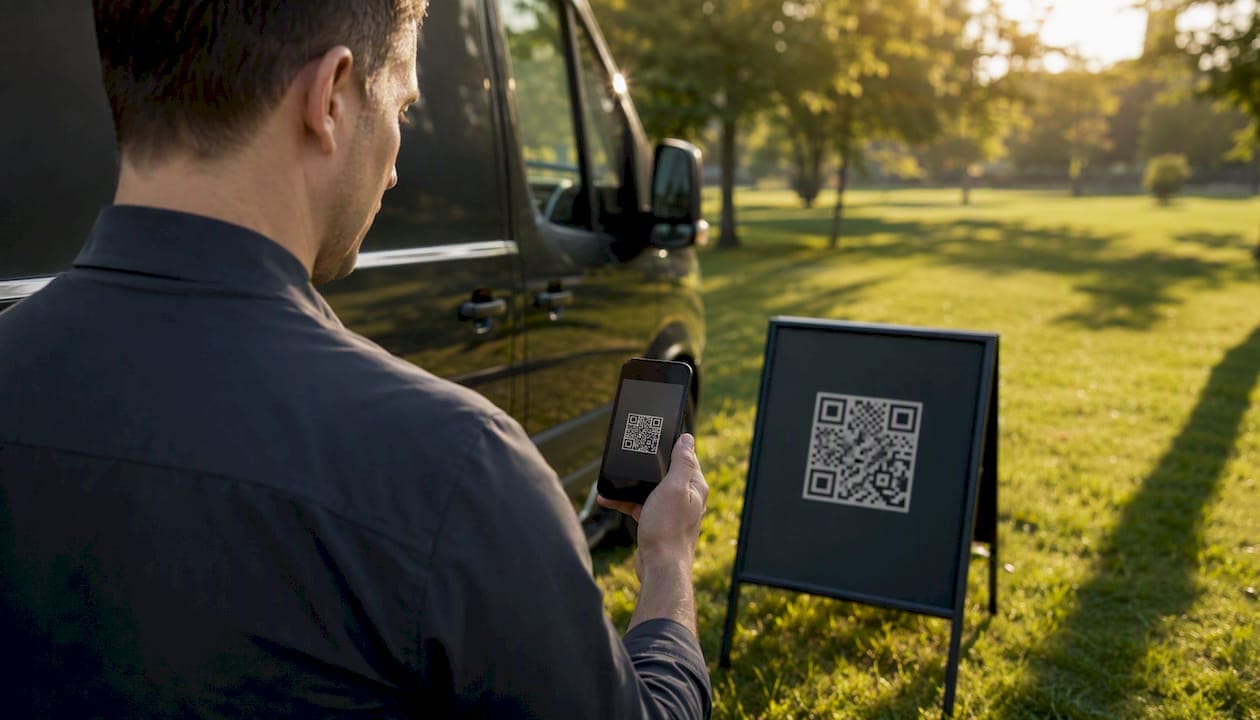
The direct review link lives inside your GBP dashboard, usually under the relevant panel for managing reviews. Google generates it automatically once your profile is verified. Turn that link into a QR code with any free generator, and now you've got something you can print on an invoice, a yard sign, or a truck decal.
Why Google Reviews Matter for Small Businesses
Reviews are not a vanity metric. They are one of the clearest signals customers and Google's local algorithm both use to decide whether your business is worth a call. Local recommendations and reviews remain one of the most influential factors in how people find and choose a nearby business.
Volume and recency both count. A plumber with relatively few old reviews reads as dormant compared to a competitor with many recent reviews, even if both have similar star ratings. Response behavior counts too. A profile where the owner replies to reviews, especially quickly, signals that someone is actually running the business.
- Consistent review flow correlates with improved local pack visibility.
- Recent reviews carry more weight with prospective customers than old ones.
- Businesses that reply to reviews are perceived as more trustworthy, whether the reply is to praise or a complaint.
Automation tools built around trigger, message, and link frameworks report SMS conversion in the 8 to 15 percent range, compared to 1 to 3 percent for email. That gap alone explains why so many small businesses that "asked for reviews and got nothing" were simply using the wrong channel.
The bigger shift automation creates isn't volume, it's predictability. Instead of a burst of five reviews after a slow month of asking nobody, you get a steady trickle every week, which is exactly what both Google's algorithm and skeptical customers respond to.
Which Review Tasks Should You Automate?
Not every part of review management deserves the same level of automation. Some tasks are safe to hand off entirely. Others need a person checking the output before anything goes public.
Here's what's generally safe to automate:
- Review requests — sending the ask via SMS or email after a defined trigger event.
- A single follow-up — one polite reminder if the customer hasn't responded within a few days, not a barrage.
- Real-time alerts — a notification the moment a new review posts, good or bad.
- Draft replies for 4 and 5 star reviews — an AI-generated response, varied in wording, ready to post automatically or after a quick glance.
- Reporting dashboards — tracking request volume, conversion rate, and sentiment trends over time.
Where you need a person: any review with 1, 2, or 3 stars, anything that names a specific employee, and anything referencing money, safety, or a legal issue. Resparo's guidance on this pattern is blunt about it: automate the routine positive path, but route anything sensitive to a human before it gets a reply.
Pro Tip: Set up your alert system so negative reviews trigger a text or Slack ping to the owner directly, not just an entry in a dashboard nobody checks until Friday. Speed matters more on bad reviews than good ones.
Advantages and Drawbacks of Automating Review Collection
Automation buys you consistency you can't get by remembering to ask customers manually. It also introduces new failure modes if you run it carelessly.
| Factor | Automated approach | Risk if mismanaged |
|---|---|---|
| Volume | Steady requests generate 2 to 3 times more reviews than sporadic manual asks, per WiserReview | Sending too many requests at once can trigger spam filtering |
| Response speed | Replies post within minutes instead of days | Canned, identical replies read as robotic and insincere |
| Owner time | Frees up hours previously spent chasing customers | Over-reliance can mean nobody notices a policy violation until it's flagged |
| Local visibility | Regular fresh reviews support ranking signals | Review gating (asking only happy customers) violates Google policy |
The drawbacks are avoidable with a few habits:
- Stagger requests across days instead of sending them all at once.
- Vary your reply wording so five-star responses don't look copy-pasted.
- Hold every negative review for a human to write or approve the reply.
- Keep an audit log of every request sent, including opt-outs and timestamps.
None of this is exotic. It's the same discipline you'd apply to any customer-facing automation, just pointed at your Google Business Profile instead of your email list.
How to Set Up Review Automation Step by Step
This is the order that works, whether you're doing it yourself with no-code tools or briefing a developer.
- Verify your Google Business Profile. Nothing else works until this is done.
- Generate your direct review link and QR code from the GBP dashboard.
- Pick your trigger source. This could be a closed ticket in your CRM, a completed job in your field service app, a calendar event ending, or a POS transaction.
- Choose your primary channel. SMS converts better in most service businesses; email works as a backup or for customers who didn't provide a phone number.
- Write two or three message templates with slightly different wording so requests don't look identical customer to customer.
- Set a single follow-up reminder, sent three to five days after the first request if there's no response. Do not send more than one reminder.
- Build your monitoring alert so new reviews notify you or your team in real time.
- Test with a small batch first — 10 to 20 requests total, not per day.
- Check your GBP dashboard daily during the test window for anything unusual: sudden review removal, warnings, or a drop in profile visibility.
- Scale gradually once the test batch behaves normally, increasing volume by 25 to 50 percent every couple of weeks.
If Google flags a review or a request pattern, stop sending immediately, review your message wording for anything that reads as incentivized or coercive, and resume only after you've made changes.
For a single location, expect a weekend to get the basic flow running with a no-code tool. Multi-location operations with different POS or CRM systems per site typically need two to four weeks, mostly spent mapping which trigger fires from which system.
Tools and Integration Patterns for Review Automation
The right tool depends on how many locations you run, where your trigger data lives, and how much control you need over routing and approval.
For a single location with a simple trigger (like a calendar or basic CRM), a no-code tool like Zapier or Make is usually enough. You connect your trigger app, add a delay step, and fire off an SMS or email through a provider in the Twilio category or your existing email platform. No developer required.
For multi-location operations, a dedicated review management platform that centralizes requests, monitoring, and reporting across every site tends to save more time than stitching together a dozen separate Zaps. These platforms typically layer their own dashboard on top of the same underlying Google My Business API access.
| Integration pattern | Best for | Trade-off |
|---|---|---|
| No-code (Zapier/Make) | Single location, simple triggers | Fast to build, limited custom logic |
| Direct GBP API with OAuth | Multi-location, custom routing needs | Requires developer setup and credential management |
| Webhook plus serverless function | Businesses needing fine-grained control | More engineering overhead, higher flexibility |
| Hybrid (platform plus custom scripts) | Growing operations outgrowing pure no-code | Best of both, but needs ongoing maintenance |
A few things to weigh before picking a lane:
- Cost scales with volume on most no-code platforms, so heavy senders may hit pricing ceilings fast.
- API-based integrations give you a full audit trail, which matters if you ever need to prove compliance.
- Custom routing (different message tone for residential versus commercial customers, for example) usually requires moving beyond pure no-code.
Zapier's own documentation shows a working example: trigger on a new GBP review, pass the review text to ChatGPT for a draft reply, then post that reply back to the profile automatically or hold it for approval. It's a solid template for exactly the kind of AI-assisted reply workflow most small businesses actually need.
Google's Rules and Compliance Requirements You Can't Skip
Automation makes it easy to accidentally break Google's policies, usually without realizing it until a review or your whole profile gets flagged.
Google's own guidance is direct: use a review link or QR code to ask for reviews, reply to the reviews you get, and never offer incentives or attempt to filter which customers get asked based on how happy they are. That last point, known as review gating, is the single most common compliance mistake small businesses make. Asking only satisfied customers for reviews, while quietly steering unhappy ones elsewhere, violates Google's policy even when it feels like common sense.
There's also a consumer-protection angle. Language that pressures customers toward a specific star rating, or offers a discount in exchange for a review, crosses into territory regulators scrutinize closely. Keep your ask neutral: "We'd appreciate your feedback on Google" works.
Your compliance checklist should include:
- Neutral request language with no mention of star ratings or incentives.
- One follow-up reminder maximum, never a repeated nag.
- An audit trail of every request sent, including who opted out and when.
- A process for flagging and escalating suspicious review patterns, including Google's own reporting workflow for reviews that may violate policy.
Pro Tip: Keep a running log of every automated message template you use, with the date it went live. If Google ever flags your profile, you'll want to show a clean history rather than guessing what changed.
What to Measure and When to Expect Results
You'll know your automation is working by watching a handful of numbers, not by gut feel.
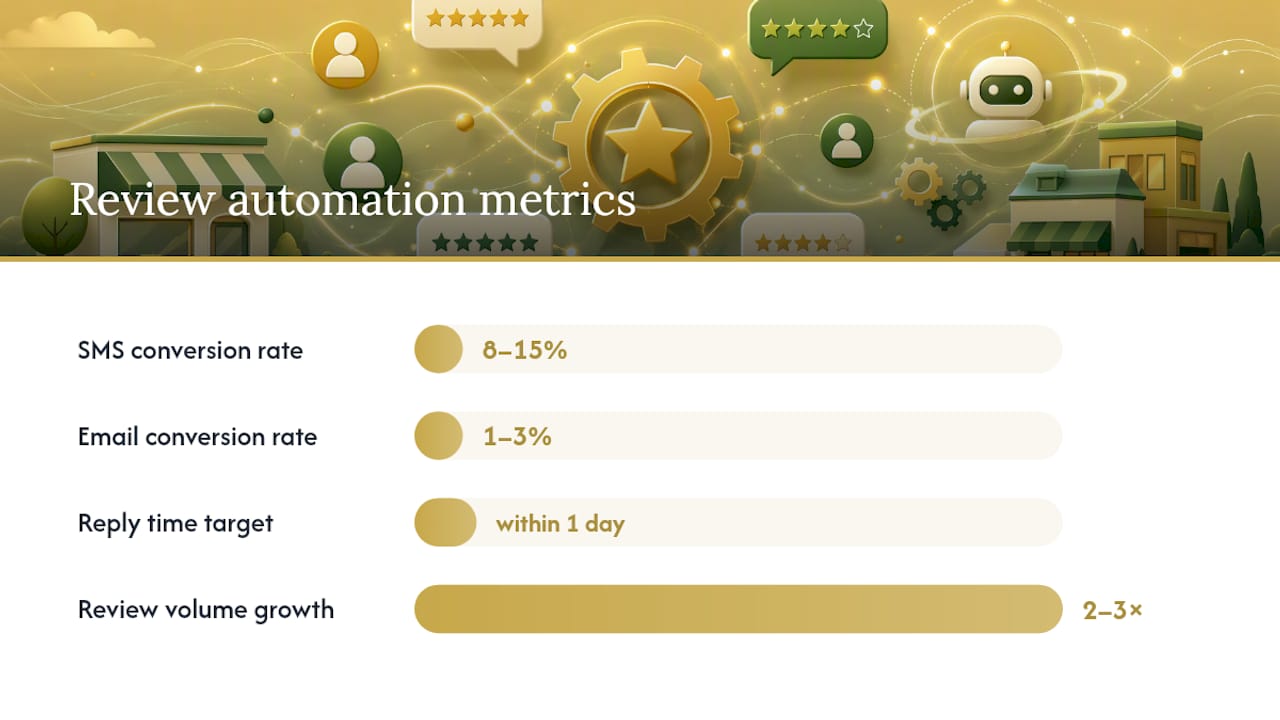
Track request-to-review conversion by channel first. SMS typically lands in the 8 to 15 percent range, while email sits closer to 1 to 3 percent. If your numbers are far below that, the problem is usually timing or message clarity, not the channel itself. Also watch new reviews per month, average reply time, and the sentiment split between positive and negative feedback.
| Metric | Reasonable target | Notes |
|---|---|---|
| SMS conversion rate | 8% to 15% | Best sent within a couple of hours of service completion |
| Email conversion rate | 1% to 3% | Works well as a backup channel |
| Reply time on new reviews | Ideally within one day | Faster replies are important for negative reviews. |
| Review volume growth | 2x to 3x over baseline | Achieved through consistent multi-channel requesting |
Expect the first new reviews within days of launching your automation. Reliable, steady volume usually takes 30 to 90 days to establish, which is roughly the time it takes for your trigger, timing, and messaging to settle into a rhythm that customers actually respond to. Multi-channel approaches, combining SMS, email, and sometimes a follow-up call, have been documented to produce 2 to 4 times the review volume of single-channel efforts, though that comes with more moving parts to manage responsibly.
Once your conversion rate holds steady for a full month, that's your signal to scale request volume up rather than adding more channels.
A Zapier and ChatGPT Automation Recipe You Can Copy
Here's a complete, working structure for combining a no-code trigger with an AI reply step, built around the pattern Zapier documents for connecting Google Business Profile to ChatGPT.
- Trigger: New paid invoice or completed appointment in your CRM or field service app.
- Delay: Wait two hours after service completion before sending the request, which lines up with the window Wiremo found to convert best for many service businesses.
- Send: SMS or email containing your direct review link, using one of your rotating message templates.
- Follow-up: If no review appears within four days, send one reminder, then stop.
- Listen: Set up a webhook or Zap trigger that fires whenever a new review posts to your profile.
- Draft: Send the review text, star rating, and reviewer name to ChatGPT with a prompt asking for a warm, specific reply that references something from the actual review.
- Route: If the review is 4 or 5 stars, post the AI draft automatically or after a five-second human glance. If it's 3 stars or below, hold it in a queue for manual approval.
A workable prompt pattern looks something like: "Write a short, genuine reply to this 5-star Google review from [name]. Mention [specific detail from review text]. Keep it under 40 words and vary the phrasing from typical template responses." Always instruct the model to flag anything mentioning a refund, an injury, or an employee by name for human review instead of drafting a reply.
Roll this out slowly. Send 10 to 20 requests in week one, watch for duplicate replies or any sign Google is rejecting your posted responses, then adjust your delay timing before increasing volume. This staged approach mirrors what Resparo recommends: automate the routine, flag the exceptions, and never let the system run fully unsupervised on anything sensitive.
When You Need a Custom Automation Partner
DIY tools cover a lot of ground, but they hit a ceiling fast once your business gets more complicated than a single location with one trigger source.
Ask yourself these questions before deciding:
- How many locations are you running, and does each use a different POS or scheduling system?
- Is your trigger source clean, or does it require custom logic to identify "job actually completed" versus "job scheduled"?
- Do you need an audit trail sturdy enough to survive a compliance review?
- Does your team need custom routing, like different reply tones for commercial versus residential customers?
If you answered yes to two or more of those, a packaged no-code Zap probably isn't going to hold up. That's the point where a manual diagnosis of your actual bottlenecks beats another generic template.
Aerelion approaches review automation the same way it approaches any operational bottleneck: by mapping the real trigger points in your business first, whether that's a completed HVAC service call or a signed roofing contract, before writing a single automation rule. That diagnostic step matters because home service businesses in particular tend to have messier trigger data than the sales pages of automation tools suggest, something evident in Aerelion's work with HVAC and roofing clients whose scheduling and dispatch systems didn't talk to each other cleanly.

Pro Tip: If your review requests are riding on the same system that already handles your leads, don't automate reviews in isolation. Fix the trigger data first, or you'll just be automating a broken process faster.
How to Protect Customer Data in Review Automation
Every automated review workflow touches customer data: phone numbers, email addresses, job details, and sometimes payment status. That data needs the same handling discipline you'd apply to any customer record, not looser rules just because the endpoint is a review request.
Store customer contact information in a system with access controls, not a shared spreadsheet everyone on the team can edit. If you're using OAuth to connect to the Google My Business API, limit which team members hold those credentials, and rotate them if someone leaves the business. AI reply drafting tools that process review text should not also be storing customer phone numbers or emails unless that's explicitly part of the workflow you've built and secured.
Opt-outs need to be honored immediately and logged. If a customer texts "STOP" and gets another review request two weeks later, that's not just a bad look, it can create real compliance exposure depending on your messaging provider's terms. Keep your audit trail (the same one you're using for Google compliance) doing double duty here: who was contacted, when, through what channel, and whether they opted out.
A working operator's take on where automation earns its keep
The instinct with any new automation tool is to turn it loose on everything. Resist that with reviews specifically. The businesses that get burned aren't the ones automating too little, they're the ones that let an AI reply to a two-star review with the same cheerful template it uses for five stars, and then wonder why the customer escalated.
Automate the boring, repetitive 80 percent: the ask, the reminder, the alert, the draft for happy customers. Keep a human's eyes on the 20 percent that actually carries risk. That split isn't conservative, it's just where the actual return on automation lives, because nobody ever got burned by automating a request text. They get burned by automating judgment calls.
Pro Tip: Start at 10 to 20 requests per week per location, not per day. Watch your Google Business Profile dashboard for anomalies during that ramp before you touch the volume dial again.
Get Custom Google Review Automation Built for Your Business
If your business runs on more than one trigger system, or your reviews depend on a workflow that a generic Zapier template can't cleanly handle, Aerelion builds the custom version instead of forcing your operation into a one-size-fits-all tool.
The process starts with a diagnostic audit of how your leads, jobs, and completions actually flow today, not how a sales page assumes they flow. From there, Aerelion maps your specific triggers, whether that's a CRM closing a ticket or a field app marking a job complete, and builds secure API integrations that connect directly to your Google Business Profile with proper OAuth handling and an audit trail baked in from day one. Rollout happens in stages: a small pilot batch, a monitoring period, then a scaled version once the numbers hold.
A discovery call covers your current systems, a realistic timeline, and what a pilot run would look like before you commit to anything larger. If you're ready to see what a custom-built review automation system looks like for your specific operation, start with a look at Aerelion's studio services and get the diagnostic conversation started.
Sources
- Google Review Automation: 7 Triggers That Win in 2026
- Google Review Automation: The Complete Guide (2026)